A proper place for your accounts, your work and the people you care about. iAmBruno™ organizes your Gmail, then lets you review the changes. Come back throughout the month whenever your Inbox needs attention.
$5/monthOne monthly price. Use it throughout the month.
iAmBruno™ / A calmer Inbox
Companies. People. Proper places.
Accounts by company and service. Personal conversations by sender. Work by company and person. Useful folders inside useful folders, built from what your emails actually say.
$5/monthOne monthly price. Use it throughout the month.
Actual interface. Sample content.
iAmBruno™ / A calmer Inbox
Review first. Then make the move.
Classification is a recommendation. Nothing is moved to Trash while the scan is organizing its findings. Review the groups, open a preview, keep what matters and approve the actions you want.
$5/monthOne monthly price. Use it throughout the month.
Come back all monthInbox cleanupReview before changesYour Google connection
iAmBruno.™For Gmail
01 / Give your mail some structure
An Inbox you can make sense of.
Receipts, account updates, project conversations and newsletters all arrive in the same place. Email Cleaner works through the Inbox and proposes a filing structure, so you can see what belongs together and decide what should stay in view.
Meaningful folders and subfolders
Companies, services and real senders
A structure you can review
02 / This is what organized looks like
Everything gets a more useful address.
Accounts by company and service. Personal conversations by sender. Work by company and person. Useful folders inside useful folders, built from what your emails actually say.
Choose a button to explore the example folders.
Actual interface. Sample content.
The company. Then the service.
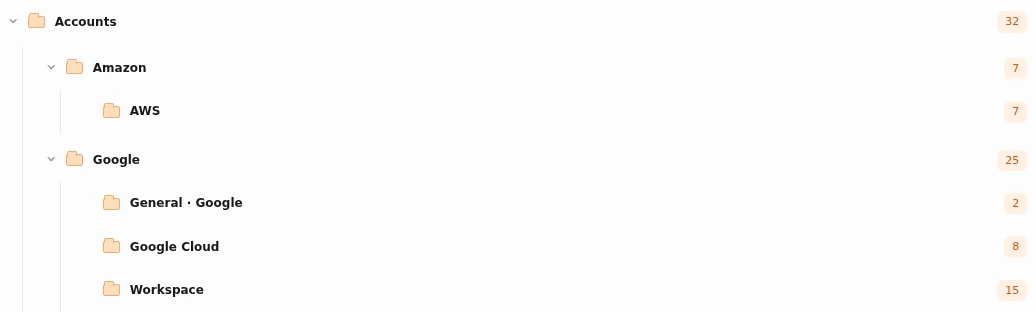
Accounts groups email by the company it comes from. When the source identifies a service, that gets its own place inside the company: Google can contain Workspace and Google Cloud; Amazon can contain AWS. A company can also have mail filed directly under its own name.
Actual interface. Sample content.
Actual interface. Sample content.
Find the person behind the message.
Personal conversations are grouped by the actual sender. People with the same display name are kept distinct when their email addresses are different. A first name in a newsletter does not turn the sender into a personal contact.
Actual interface. Sample content.
Actual interface. Sample content.
The business. The person. The conversation.
Work mail can be grouped by company, then the person you are speaking with. The structure uses the sender and the available context, giving your professional conversations a place you can recognize.
Actual interface. Sample content.
03 / You have the final say
A recommendation. Your decision.
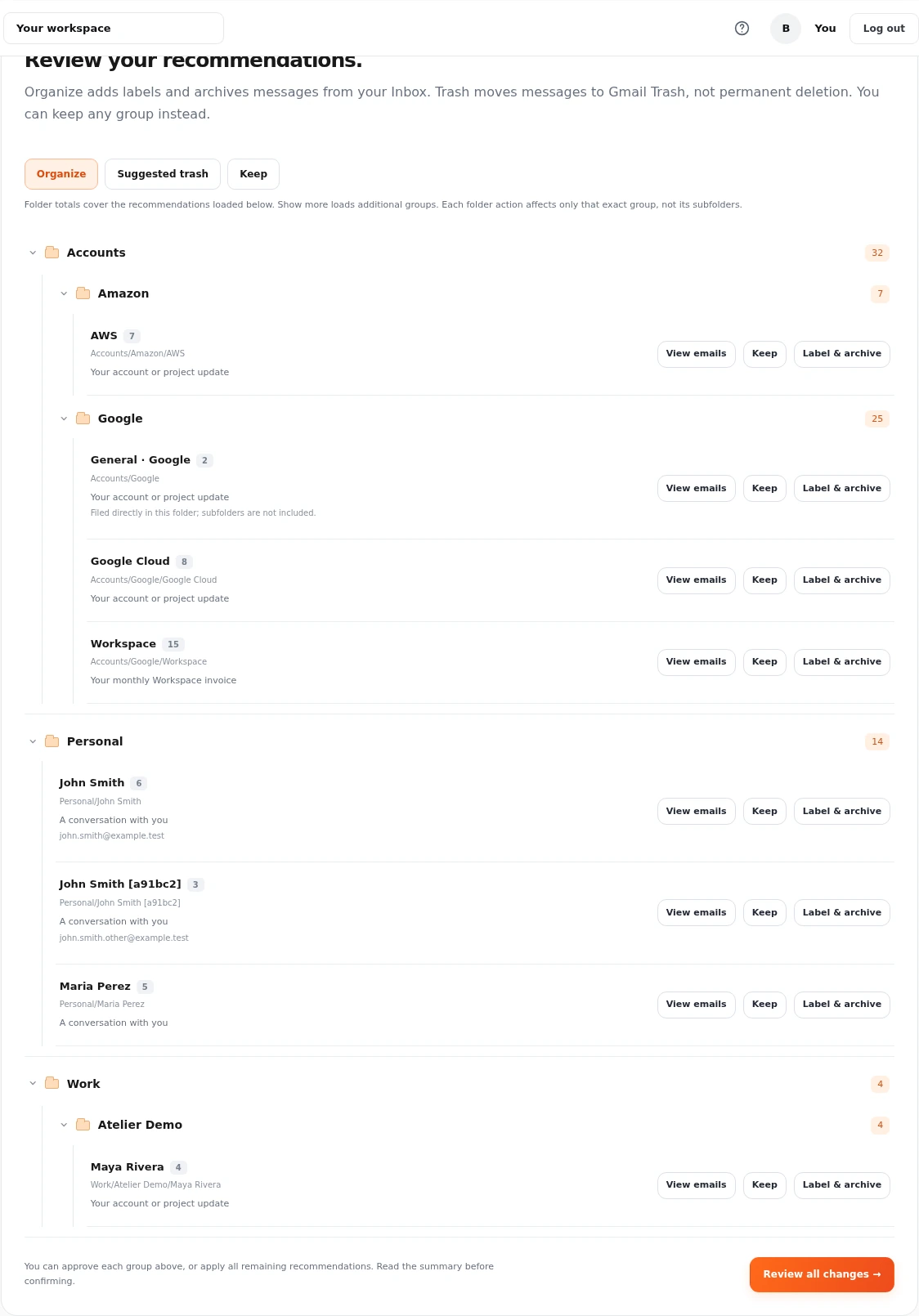
The scan classifies your mail and prepares recommendations. It does not automatically throw messages away. Review a group, look at the emails and choose the action. You can keep a group instead of applying the suggestion.
Actual interface. Sample content.
✓
Keep it
Leave the messages where they are.
↗
Label & archive
File the messages and move them out of the Inbox.
−
Move to Trash
Only after you approve. Gmail Trash can auto-delete after 30 days.
Actual interface. Sample content.
04 / See it before it changes
A clear confirmation before the cleanup.
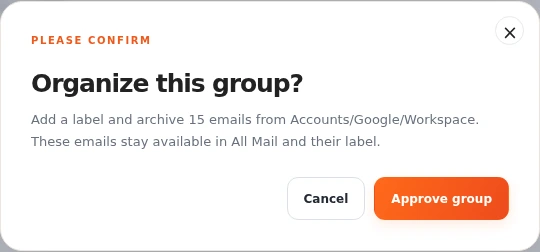
Read the summary of the action you are approving. Group actions apply to that exact group, rather than silently approving its subfolders. You can also review the summary before confirming all remaining recommendations.
iAmBruno.™For Gmail
05 / A habit that stays affordable
Once a week. Whenever you need it.
Your monthly access is there throughout the month. Return when new mail builds up, run an Inbox cleanup and review the next set of recommendations. Keep a useful routine without paying for each individual clean.
If the unread count has stopped being useful, there is a separate action to mark messages as read. You confirm it explicitly. It does not move or delete mail. Spam and Trash are excluded.
This separate action can include unread archived mail. It is different from the Inbox cleanup scan.
iAmBruno.™For Gmail
iAmBruno.™For Gmail
07 / Private mail deserves care
Your Gmail. Your permission.
Connect through Google’s permission flow. Your Gmail password is not shared with iAmBruno™. Classification happens before mailbox actions, and your approval controls the cleanup.
Saved filing information is encrypted
No Gmail password shared
Disconnect from your workspace
For monthly Inbox checks, iAmBruno™ does not save subjects, message bodies, previews or AI summaries. It keeps encrypted filing information, message IDs, your decisions and saved progress.
Encrypted connections protect data in transit. Previews are fetched from your connected Gmail when you open them for review. Google and our connection and AI providers process the data needed to deliver the service under their own policies.
A little price. A lot more breathing room.
Make room for the mail that matters.
Your monthly access is there throughout the month. Return when new mail builds up, run an Inbox cleanup and review the next set of recommendations. Keep a useful routine without paying for each individual clean.
Up to 100,000 new Inbox emails per run. One cleanup runs at a time.
Renews monthly. Cancel future renewal whenever you want.
How it works
A few useful answers.
Can I use it again during the month?
Yes. The monthly offer is designed for repeat use throughout your active month: weekly, or when your Inbox needs attention.
Does it automatically put emails in Trash?
No mailbox cleanup happens simply because a scan has finished. Review the recommendations, keep what you want and confirm the actions you approve. Moving to Gmail Trash is not immediate permanent deletion; Gmail can remove Trash after 30 days.
Where does the cleanup look?
The cleanup scans Inbox messages. Come back as new mail arrives. The separate mark-as-read action can also include unread archived messages, with Spam and Trash excluded.
Are messages filed into my Gmail?
After approval, the filing action creates the relevant Gmail labels and archives the selected Inbox messages. The folders you see are a nested label structure in Gmail.
Do I need to stay on the page?
You can leave and return to your saved progress. Classification takes time; the workspace shows the progress and recommendations as they become available.
Do you keep copies of my messages?
Monthly Inbox checks process message text temporarily for classification and review. We keep encrypted filing information plus the identifiers, decisions and progress needed to continue your cleanup. Subjects, bodies, previews and AI summaries from these checks are not saved by the cleaner. These rules apply to monthly Inbox checks. Account and payment records are also kept to run your subscription.
Selected: None
Live site
Edit logo
Trim the transparent space or extra edges around the logo and save it back to the live website immediately.
Edit this image
Choose whether Bruno should transform the current live image or ignore it and build a fresh image from the references. Then adjust the crop, rewrite the prompt, and send up to three extra reference images.
Drop or browse
Add reference imagesUse up to three extra images to guide Bruno on composition, styling, or details.
No extra references loaded.
Which hero image do you want to work on?
Choose one of the three hero images first, then Bruno will open the normal image editor for that slide.
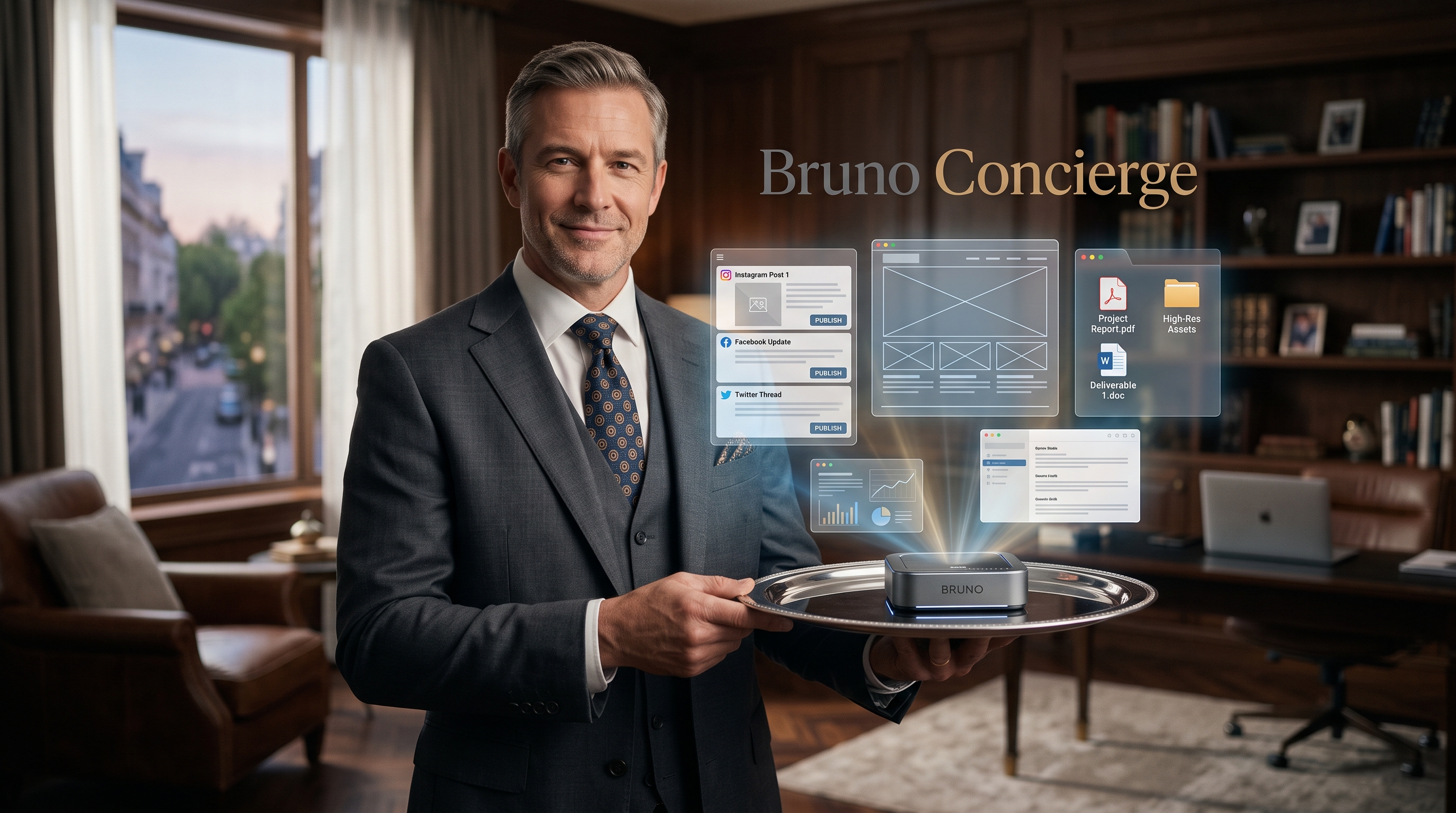
Bruno Concierge
Deal with a human. We use Bruno for you.
Book a free concierge call, see what we are all about.
1515-minute live demo with a human using Bruno for you.
0No money involved today. Just see what Bruno can do before you pay.
All times Eastern15 min call
Book a free concierge call, see what we are all about.
Select a Date & Time
Month
Select a time
Choose a day
Confirm your demoSelected time will appear here.
✓
Your demo is booked.Everything is confirmed. Your calendar invite is on the way and the details are right here.